Introduction
Imagine someone searching “easy crochet baby blanket” at 2 a.m.—and your pattern pops up as the first pin they click. That’s the power of Pinterest.
Unlike Instagram or TikTok, where content disappears in hours, Pinterest is a visual search engine where your pins can drive traffic to your patterns for years. In fact, 85% of Pinterest users say they use the platform to plan future purchases—and for crafters, that often means downloading patterns.
If you design crochet patterns—whether you sell them on Etsy, Ravelry, or your own site—Pinterest is your secret growth engine. But simply uploading a photo won’t cut it. To stand out in a sea of yarn content, you need strategy, compelling visuals, and smart optimization.
In this guide, we’ll walk you through exactly how to promote your crochet patterns on Pinterest effectively—from creating scroll-stopping pins to optimizing for search and building a loyal following. Whether you’re a new designer or an established shop owner, these actionable tips will help you turn Pinterest into a steady stream of traffic, sales, and brand recognition.
Let’s get your patterns pinned—and purchased.
1. Why Pinterest Is a Goldmine for Crochet Pattern Designers

First, let’s talk numbers. Pinterest isn’t just another social platform—it’s a long-term marketing powerhouse for makers.
- Over 450 million monthly users, with 78% identifying as crafters or DIYers
- 97% of searches are unbranded—meaning users look for “crochet scarf pattern,” not “your shop name”
- Pins have a lifespan of 6–12+ months, unlike Instagram posts that fade in 48 hours
Real impact: One Etsy seller reported that 62% of her pattern sales came from Pinterest—without running a single ad.
Unlike platforms driven by algorithms or paid reach, Pinterest rewards clarity, consistency, and keyword optimization. If you make something people are searching for—and label it correctly—it will be found.
2. Create Pins That Stop the Scroll: Design Tips That Convert
On Pinterest, your pin is your storefront. If it doesn’t grab attention in 0.5 seconds, it’s scrolled past.
Key design principles:
- Vertical format: Use 2:3 or 4:5 aspect ratio (e.g., 1000x1500px or 1200x1500px)
- Bold, easy-to-read text: Overlay your image with a headline like “Free Beginner Crochet Beanie Pattern” in large, sans-serif font (e.g., Montserrat or Poppins)
- High-quality photo: Show the finished project in natural light, styled beautifully (e.g., a cozy blanket draped over a chair, not just a flat lay)
- Your logo or website: Place it subtly in a corner
Pro tip: Use Canva (free or Pro) to create professional pins in minutes. They even have Pinterest-specific templates and brand kit tools.
Avoid:
- Cluttered layouts
- Blurry or dark photos
- All-text pins (Pinterest favors real product images)
Example: A pin titled “Easy Granny Square Blanket – Free PDF” with a bright, styled photo and clear text got 12x more saves than the same photo without text.
3. Optimize for Pinterest Search: Keywords Are Everything
Pinterest is a search engine first, social network second. That means keywords determine visibility.
How to find the right keywords:
- Use Pinterest’s search bar: Type “crochet” and see what auto-suggests (e.g., “crochet bag pattern,” “crochet for beginners”)
- Use free tools like Pinterest Trends or Ubersuggest
- Study competitors: What keywords are in their pin titles and descriptions?
Where to place keywords:
- Pin title: “Free Crochet Coaster Pattern – Quick & Easy for Beginners”
- Pin description (200–300 characters): “Download this free printable crochet coaster pattern. Perfect for beginners! Uses worsted yarn and size H hook. Great for gifts or kitchen decor.”
- Alt text: “Photo of handmade crochet cotton coasters in neutral tones on a wooden table”
- Board name: “Free Crochet Patterns for Beginners” (not just “My Patterns”)
Bonus: Include long-tail keywords like “easy crochet baby hat free pattern” — they’re less competitive and highly targeted.
4. Organize Your Profile Like a Pro: Boards That Build Trust
Your Pinterest profile should feel like a well-curated boutique, not a messy closet.
Best practices:
- Create themed boards:
- “Free Crochet Patterns”
- “Crochet Gift Ideas”
- “Beginner Crochet Tutorials”
- “Crochet Blanket Patterns”
- Pin consistently: Aim for 3–5 fresh pins per week (use scheduling tools like Tailwind or Pinterest’s native scheduler)
- Mix your content: For every 1 pin of your own pattern, pin 2–3 high-quality pins from others in your niche (Pinterest favors engaged users)
Don’t:
- Put all pins in one “Crochet” board
- Forget to claim your website (go to Settings > Claim)—this unlocks analytics and verifies your brand
Why it matters: A well-organized profile builds authority, so users trust your pins enough to click.
5. Drive Traffic Smartly: Link Every Pin to the Right Place
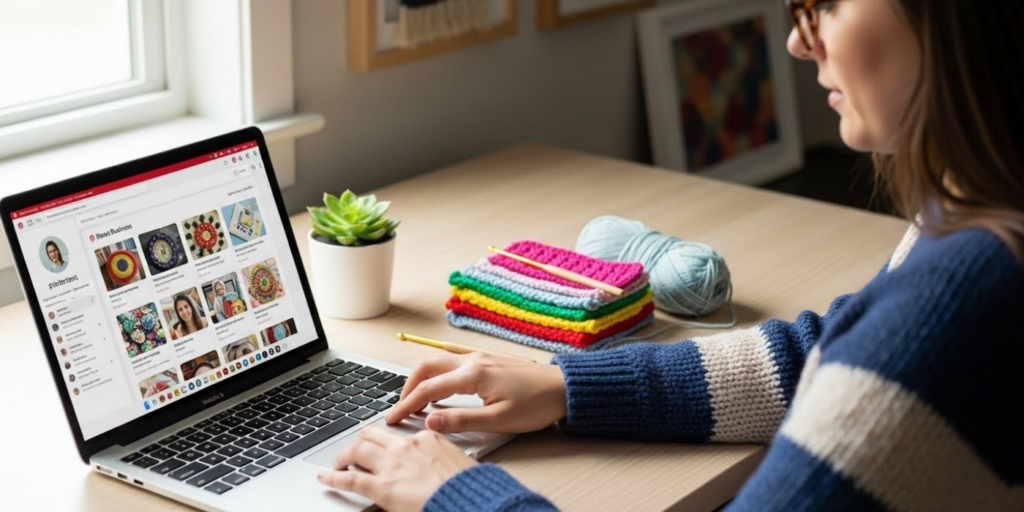
Every pin should have a clear destination—never leave it blank.
- Free patterns: Link directly to the PDF or blog post
- Paid patterns: Link to your Etsy, Ravelry, or Shopify product page
- Tutorials: Link to your YouTube video or step-by-step blog
Pro move: Use UTM parameters (e.g., ?utm_source=pinterest&utm_medium=social) to track which pins drive the most traffic in Google Analytics.
Critical: Enable rich pins (via Pinterest’s claim process). This automatically pulls your product price, availability, and title—making pins more trustworthy and clickable.
6. Leverage Idea Pins and Storytelling (Without Going Viral)
Pinterest’s Idea Pins (now called “Story Pins”) are short, multi-page videos or carousels that appear in feeds and search.
How to use them for patterns:
- Page 1: “Struggling with the magic ring? Here’s my foolproof method.”
- Page 2: Close-up video of you demonstrating
- Page 3: “Grab my free beginner pattern—link in bio!”
Benefits:
- Idea Pins get priority in feeds
- They’re shoppable if you have a claimed website
- Perfect for quick tutorials, tips, or pattern previews
Tip: Even if you don’t post daily, repurpose one tutorial per month into an Idea Pin. It’s low effort, high reward.
7. Analyze and Adapt: Use Pinterest Analytics to Double Down on What Works
Don’t guess—track your results. If you’ve claimed your website, you get free access to Pinterest Analytics.
Key metrics to watch:
- Impressions: How many times your pin was seen
- Saves: Indicates high interest (savers are future buyers)
- Outbound clicks: The holy grail—people clicking to your site
Actionable insights:
- If a pin about “crochet ear warmers” gets 10x more clicks than others, make more winter accessory patterns
- If your “free” pins get saves but no clicks, add a stronger call-to-action (“Download now!” vs. “Check it out”)
Schedule a monthly 15-minute review: Delete underperforming pins, refresh top performers with new text overlays, and plan next month’s content.
Final Thoughts: Pinterest Is a Garden—Plant, Tend, and Harvest
Unlike flashy social media, Pinterest rewards patience and consistency. You won’t go viral overnight—but with steady pinning, smart keywords, and beautiful visuals, your patterns will keep attracting makers for months or even years.
Think of each pin as a seed. Water it with good SEO, sunlight it with great design, and soon, you’ll harvest a steady crop of traffic, trust, and sales.
Conclusion
Promoting your crochet patterns on Pinterest isn’t about chasing trends—it’s about meeting crafters where they already are: searching for inspiration, solutions, and projects they can make with their own hands.
By creating eye-catching pins, optimizing for search, organizing your profile strategically, and tracking your results, you turn Pinterest into a 24/7 storefront that works while you sleep.
So open Canva, snap a styled photo of your latest make, and pin with purpose. Your next customer is already searching for you.
Now we’d love to hear from you: What’s your biggest Pinterest challenge? Have you seen sales from the platform? Share your tips or questions in the comments below—let’s grow our creative businesses together! 📌🧶

Sophia Williams is a crochet enthusiast who found in yarn and hooks a creative way to express calm, patience, and love for handmade art. Focused on the crochet niche, she shares her experience, techniques, and inspiration with those who want to learn, relax, and create meaningful pieces stitch by stitch.